Homologation Process
Apps that do not handle sensitive data allow internal tests and validations (since they do not perform real merchant data transactions), in which the technical team will analyze the submitted artifacts and perform tests in the app.
Feedback from this analysis, as well as any necessary communication, will be provided directly within the open request.
Therefore, it is extremely important to follow the flows indicated below to ensure an agile, coherent homologation process that meets Nuvemshop standards.
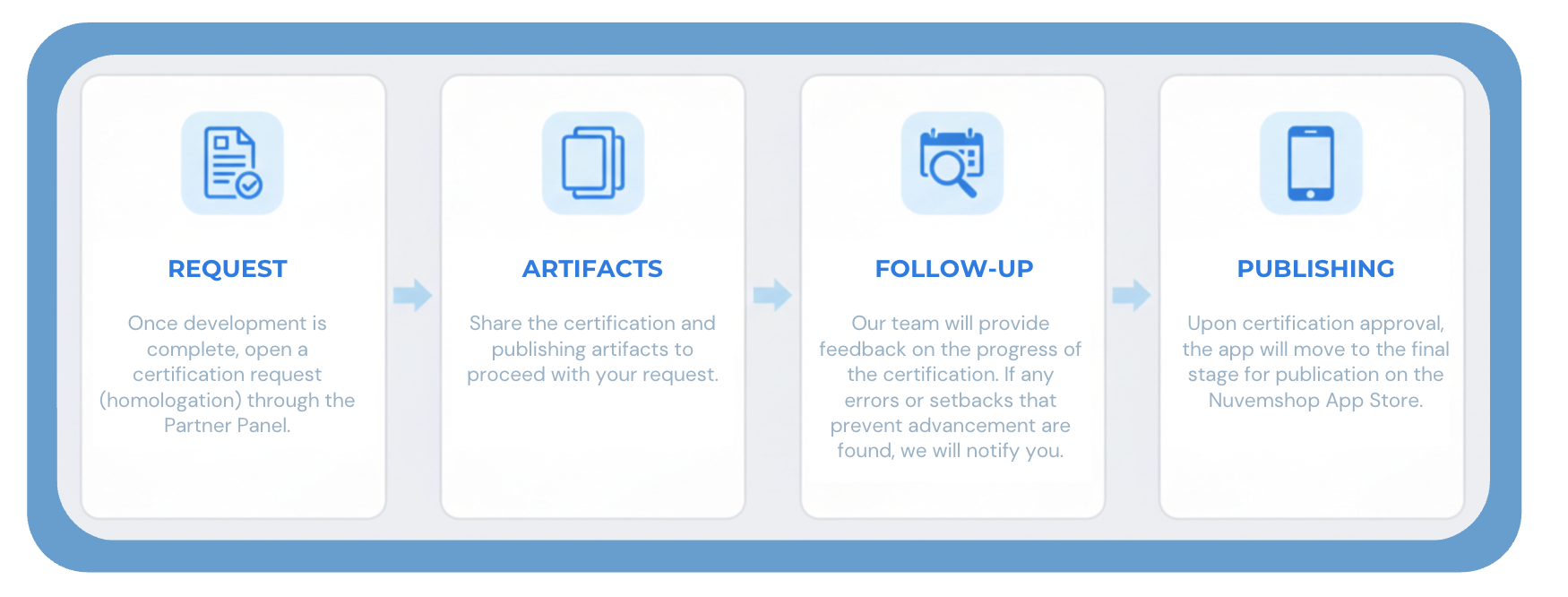
🎯 1. Homologation Request Flow
To ensure an efficient and organized process, follow the flow below for asynchronous app homologation on the platform:
1.1. Homologation Request
- Access the app page in your partner panel.
- Click on "Request homologation."
- The platform will send a communication informing the next steps.
1.2. Artifact Submission
- After receiving feedback from our team, you must submit the artifacts according to the mandatory requirements
- Make sure to include all necessary elements for a complete evaluation.
1.3. Artifact Validation
- The homologation team will review each submitted item.
- Installation and configuration reproduction of the app will be performed, ensuring a smooth and intuitive merchant experience.
- The process will follow API usability best practices, ensuring adherence to expected standards.
1.4. Homologation Feedback
- The partner must wait for the stipulated period (informed in the first contact from our team) to receive feedback through the same communication channel.
- If all tests are successfully validated, the app will move to the publication phase.
- If pending issues, access limitations, or bugs are identified, the homologation team will provide a detailed report with necessary adjustments.
- The partner must make the corrections and return with evidence that the issues have been resolved.
- After this stage, the app will proceed to App Store publication.
For ERP, Payments, and Shipping apps handling sensitive data and higher complexity, an additional validation stage with complementary demonstrations will occur.
🎯 2. Initial Validation
- The homologation team will perform initial validation of the submitted artifacts.
- Installation and configuration reproduction of the app will be carried out, ensuring an intuitive experience aligned with API best practices.
🎯 3. Demonstrative Flow Stage
- The homologation team will share a script with a descriptive step-by-step guide of stages that require more detailed demonstration.
- This ensures that all processes, integrations, and flow effectiveness are shown.
- Shared demonstrations in the script will be reviewed against each checklist item used during app development.
- We will ensure all points are correctly implemented and function as expected.
🎯 4. Adjustment Logging (If Needed)
- If pending items are identified in the checklist, they will be recorded in the "Action Plan" tab of the checklist.
- Through this checklist, you should track points that need correction.

🎯 5. Re-Validation and Publication
- After making necessary corrections, share a new demonstration video of the adjusted steps for re-validation with the homologation team.
- This process will repeat until all adjustments are completed.
- Once all items are successfully validated, the app will move to App Store publication.
Homologation Process Checklist
The checklist will be used as a guide for the app homologation process for the following types:
We share this checklist in advance so the team is prepared for the stages to be validated and is aware of potential mandatory items that may impact app homologation.
It is worth emphasizing that this script and checklist validation stage ensures:
- Compliance with platform rules;
- Functional and integration testing via API;
- User experience and usability;
- Security and performance.