Fork workflow
The Fork workflow uses bearer-token authentication and the Nuvemshop REST API. You get full file sync (pull, push, watch) plus installation management (create, clone, fork, publish, preview, delete).
The Fork workflow is available only for the Ipanema theme, which is still being rolled out and may not be available to every store yet. If your store uses a legacy theme with FTP enabled, use the FTP workflow (legacy) instead — the fork workflow does not apply to legacy themes.
Authorize
Run theme authorize to connect the CLI to your store. It opens your default browser, you sign in, copy the token from the page, and paste it back into the terminal:
nuvemshop theme authorize
1. Copy the access token
Once you accept, the browser displays your Public API access token. Use the Copy to clipboard button to copy it:
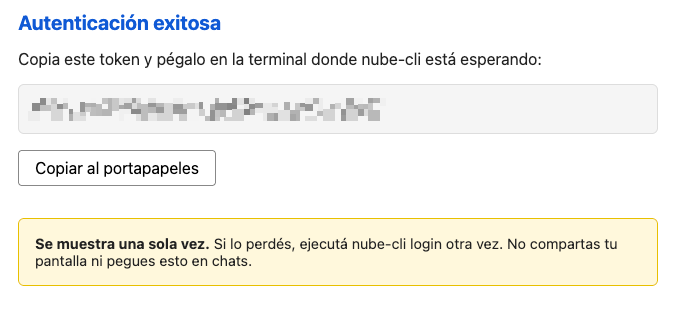
2. Paste the token back into the terminal
Return to the terminal where theme authorize is still running and paste the token at the Paste your token: prompt. The CLI decodes the token, fetches your storefront URL from the Public API, writes a .nuvem file in your working directory, and verifies the connection.
The .nuvem file contains your access token. Add it to your .gitignore.
Non-interactive mode
For scripts and CI, pass the token directly with --token to skip the browser and the prompt:
nuvemshop theme authorize --token YOUR_TOKEN -y
The token must be the full Base64 string shown on the authorize page (it encodes both store_id and access_token), not the raw API access token.
Options
| Option | Description |
|---|---|
--token <token> | Base64 token from the authorize page; skips the browser and prompt |
-y | Skip the non-empty directory warning |
-v | Enable verbose HTTP logging |
Configuration file
theme authorize creates a .nuvem file in your working directory. It holds sensitive information — including your access token — and must not be committed to source control. Add it to your .gitignore.
Each working directory is tied to one workflow. Theme commands won't run in a directory configured for FTP, and vice versa.
Per-command token (CI use)
Every theme command accepts a --token <token> option, letting you run any command without first running theme authorize. This is useful for scripts and CI pipelines that only need to run a single command:
nuvemshop theme pull --theme-id 12345 --token YOUR_TOKEN
nuvemshop theme push --token YOUR_TOKEN
nuvemshop theme create --base-theme ipanema --title "CI Theme" --token YOUR_TOKEN
The token must be the same full Base64 string shown on the authorize page. When --token is passed, it overrides any credentials saved in .nuvem for that run only — nothing is written to disk.
Rate limiting
The Nuvemshop API enforces rate limits. If the CLI receives a 429 Too Many Requests response, it automatically waits and retries. During bulk operations like theme push (which uploads files in parallel), the CLI limits concurrency to 2 simultaneous uploads to stay within API limits.
Next steps
- Theme Development — Pull, push, and watch theme files
- Theme Installations — Create, clone, fork, publish, and delete installations